Autoware Core digital twin simulation with AWSIM#
Installing Autoware#
This page describes the procedure for an environment where Autoware Core is already installed. If you have not yet installed Autoware, please refer to the Installation.
Download AWSIM#
Download following files from this page.
- AWSIM-Demo.zip
- Shinjuku-Map.zip
Extract the downloaded files. This page assumes the files are placed in the following paths.
- $HOME/Downloads/AWSIM-Demo
- $HOME/Downloads/Shinjuku-Map
Start simulation#
Launch Autoware according to the section below depending on your installation type.
- Launch Autoware for Docker installation
- Launch Autoware for source installation
- Launch Autoware for Debian Package installation
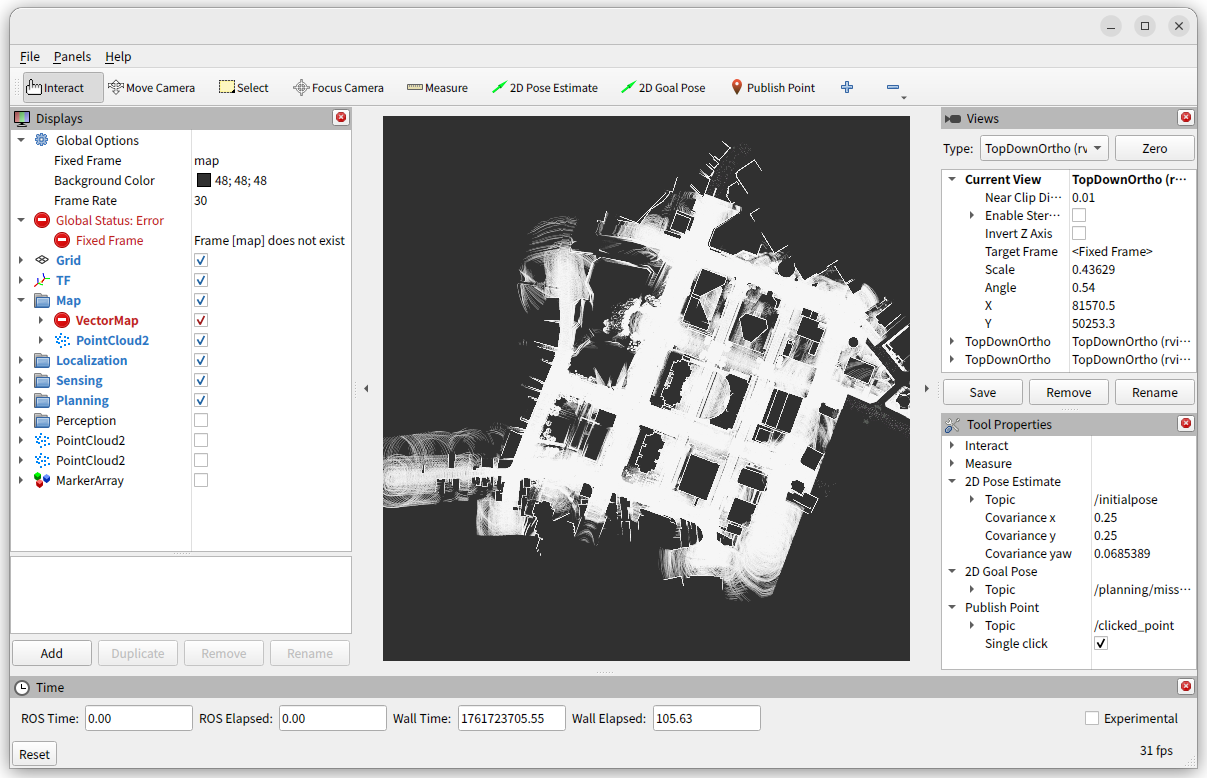
The map will be displayed in Rviz as shown below.
Launch AWSIM.
cd $HOME/Downloads/AWSIM-Demo
./AWSIM-Demo.x86_64
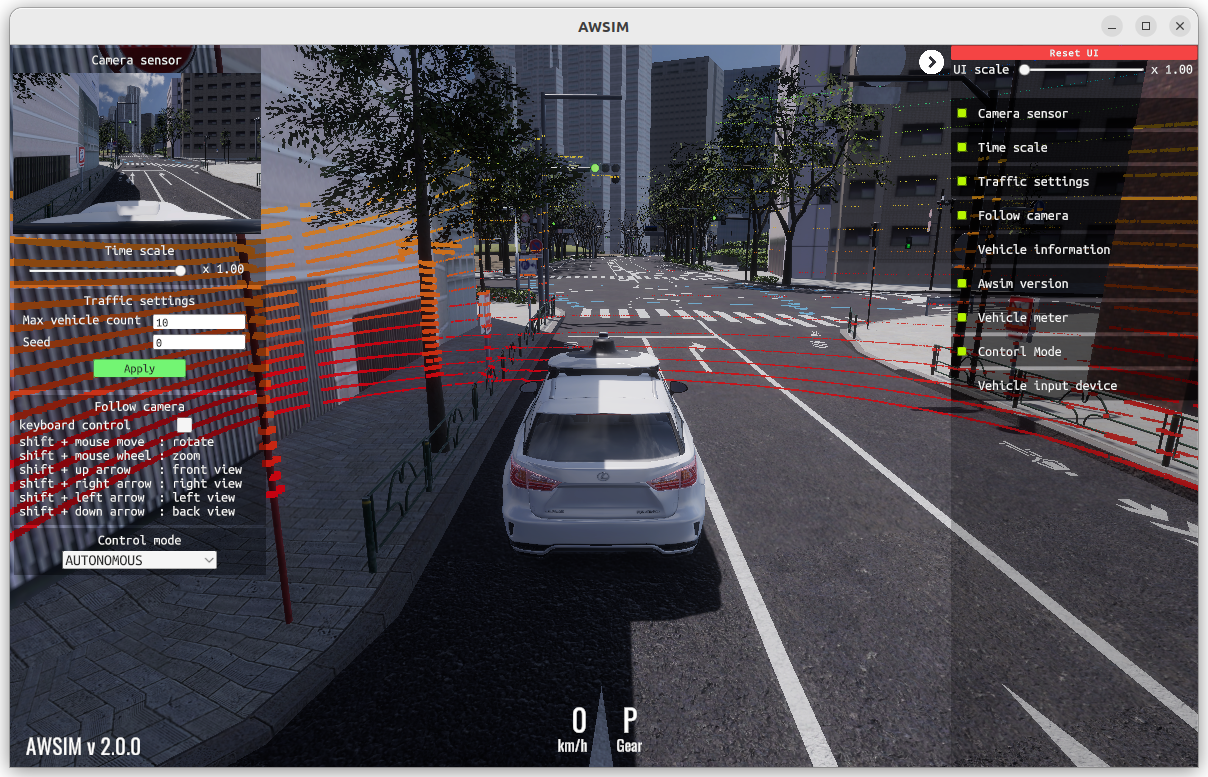
The AWSIM will be displayed as shown below.
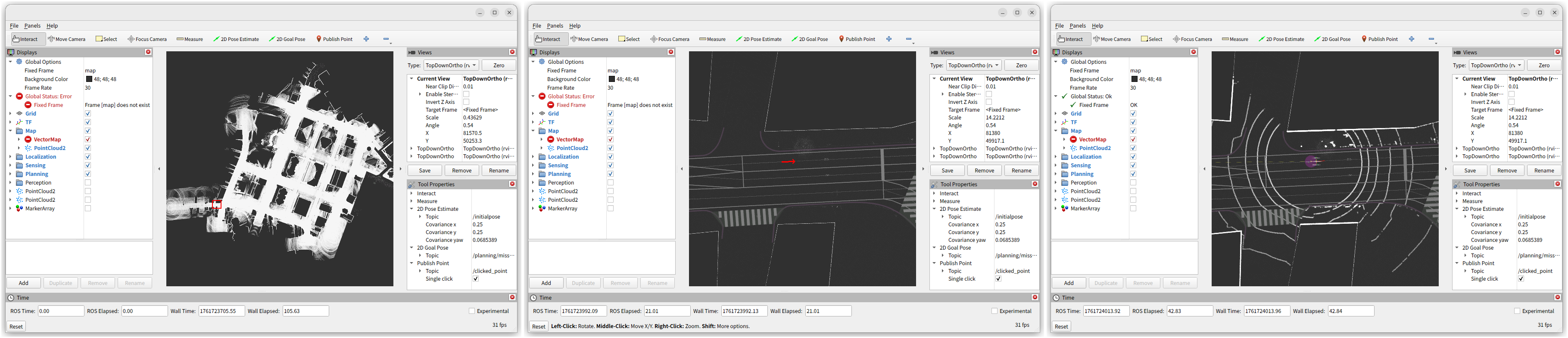
Initialize pose. Select "2D Pose Estimate" and drag the mouse as shown by the arrow.
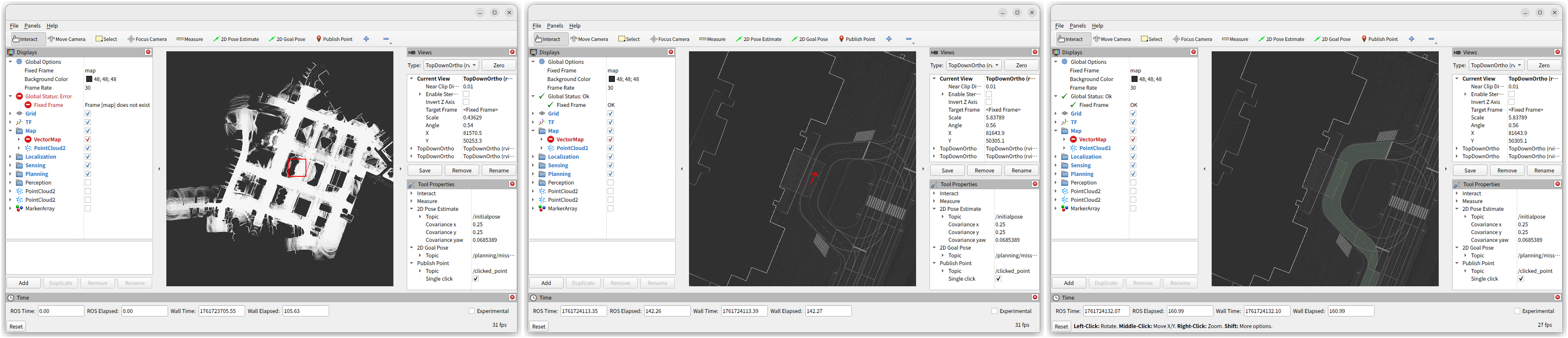
Set goal pose. Select "2D Goal Pose" and drag the mouse as shown by the arrow.
Start autonomous driving.
source $HOME/autoware_launch_workspace/install/setup.bash
ros2 topic pub /system/operation_mode/state autoware_adapi_v1_msgs/msg/OperationModeState "{mode: 2, is_autoware_control_enabled: true, is_autonomous_mode_available: true}" --once
ros2 topic pub /control/command/gear_cmd autoware_vehicle_msgs/msg/GearCommand "command: 2" --once
Launch Autoware for Docker installation#
Warning
Under Construction. It cannot be executed because the description package has not been released yet,
Launch Autoware for source installation#
- Same as "Launch Autoware for Debian Package installation" section except:
- In step 4, source
$HOME/autoware_core_workspace/install/setup.bashinstead of/opt/ros/humble/setup.bash.
- In step 4, source
Launch Autoware for Debian Package installation#
Create launch workspace and clone repository into it.
mkdir -p $HOME/autoware_launch_workspace/tmp
cd $HOME/autoware_launch_workspace/tmp
git clone https://github.com/autowarefoundation/autoware_launch.git
git clone https://github.com/tier4/sensor_component_description.git
Remove unnecessary packages.
cd $HOME/autoware_launch_workspace
mkdir -p src
colcon list --paths-only --packages-up-to sample_vehicle_description awsim_sensor_kit_description | xargs -I{} mv {} src
rm -rf tmp
Install dependent ROS packages.
cd $HOME/autoware_launch_workspace
sudo apt update
sudo apt -y install ros-humble-topic-tools
rosdep update
rosdep install -y --from-paths src --ignore-src --rosdistro humble
Build the workspace.
cd $HOME/autoware_launch_workspace
source /opt/ros/humble/setup.bash
colcon build --symlink-install
Launch Autoware.
cd $HOME/autoware_launch_workspace
source install/setup.bash
ros2 launch autoware_core autoware_core.launch.xml use_sim_time:=true map_path:=$HOME/Downloads/Shinjuku-Map/map vehicle_model:=sample_vehicle sensor_model:=awsim_sensor_kit