Traffic light recognition simulation#
By default, traffic lights on the map are all treated as if they are set to green. As a result, when a path is created that passed through an intersection with a traffic light, the ego vehicle will drive through the intersection without stopping.
The reason is that the planning simulator does not run traffic light recognition. It runs the autoware_dummy_traffic_light_publisher node in its empty mode, which publishes an empty list of traffic light signals. The traffic light module lets the ego vehicle pass a traffic light that never had a signal.
The following steps explain how to set and reset traffic lights in order to test how the Planning component will respond.
Set traffic light#
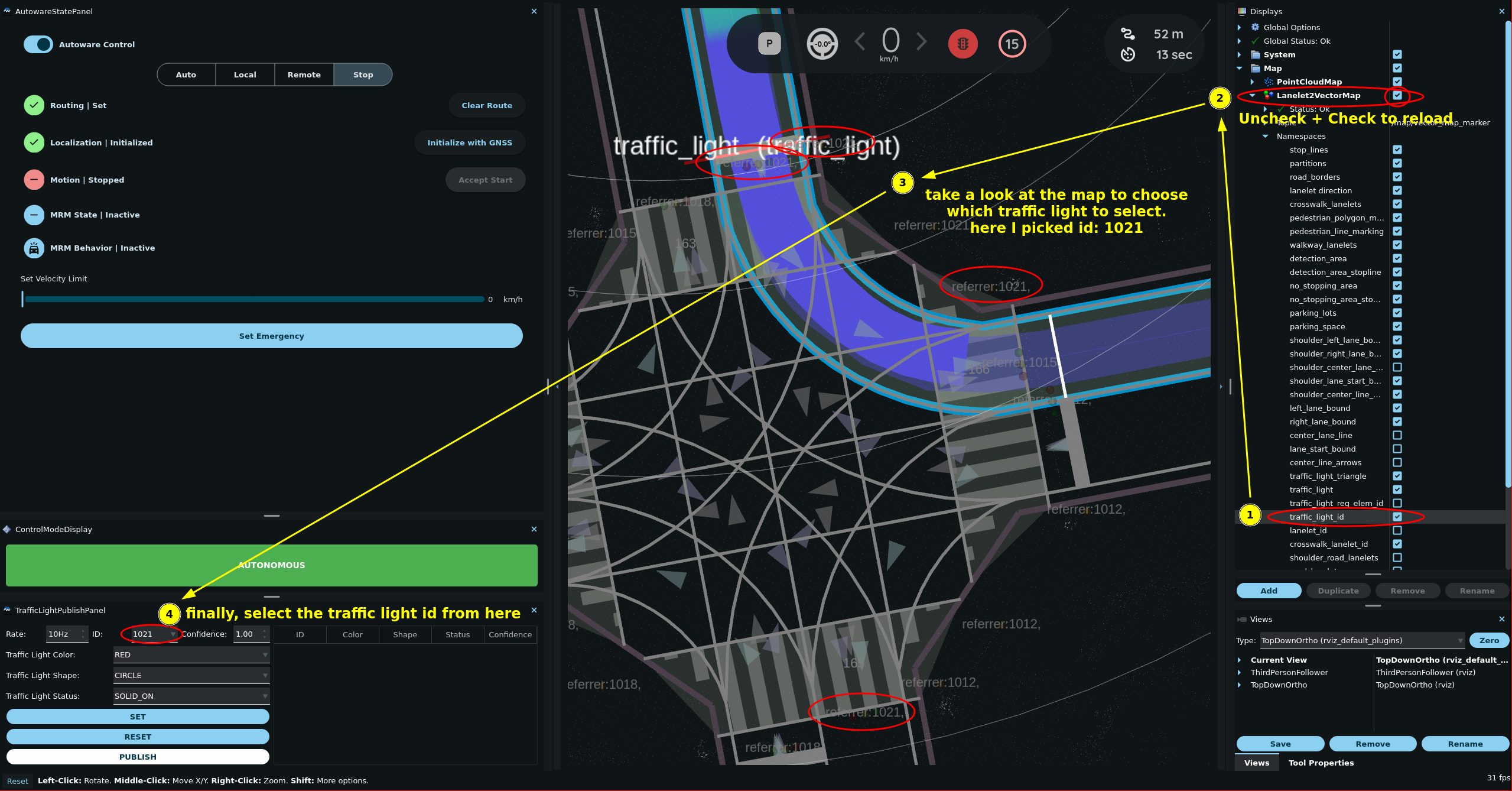
By default, Rviz doesn't display the IDs of traffic lights on the map. To enable the display of traffic light IDs, follow these steps:
- In the
Displayspanel, find thetraffic_light_idtopic by toggling the triangle icons next toMap > Lanelet2VectorMap > Namespaces. - Check the
traffic_light_idcheckbox. - Reload the topic by clicking the
Mapcheckbox twice. - Have a closer look at the IDs by zooming in the region or by changing the View type.
Go to
Panels -> Add new panel, selecttier4_traffic_light_rviz_plugin/TrafficLightPublishPanel, and then pressOK.In
TrafficLightPublishPanel, set theIDand color of the traffic light.Click the
SETbutton.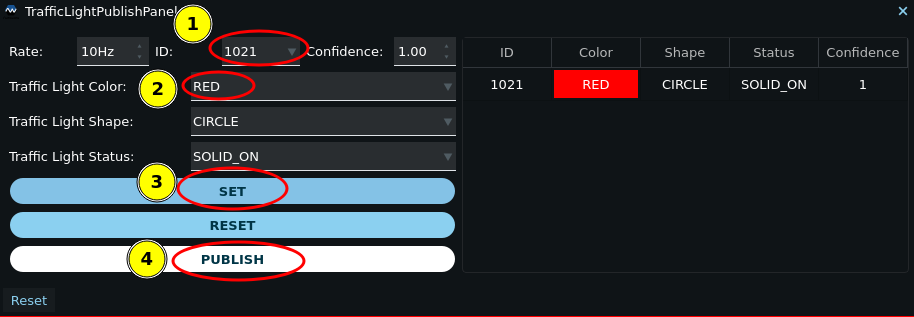
Finally, click the
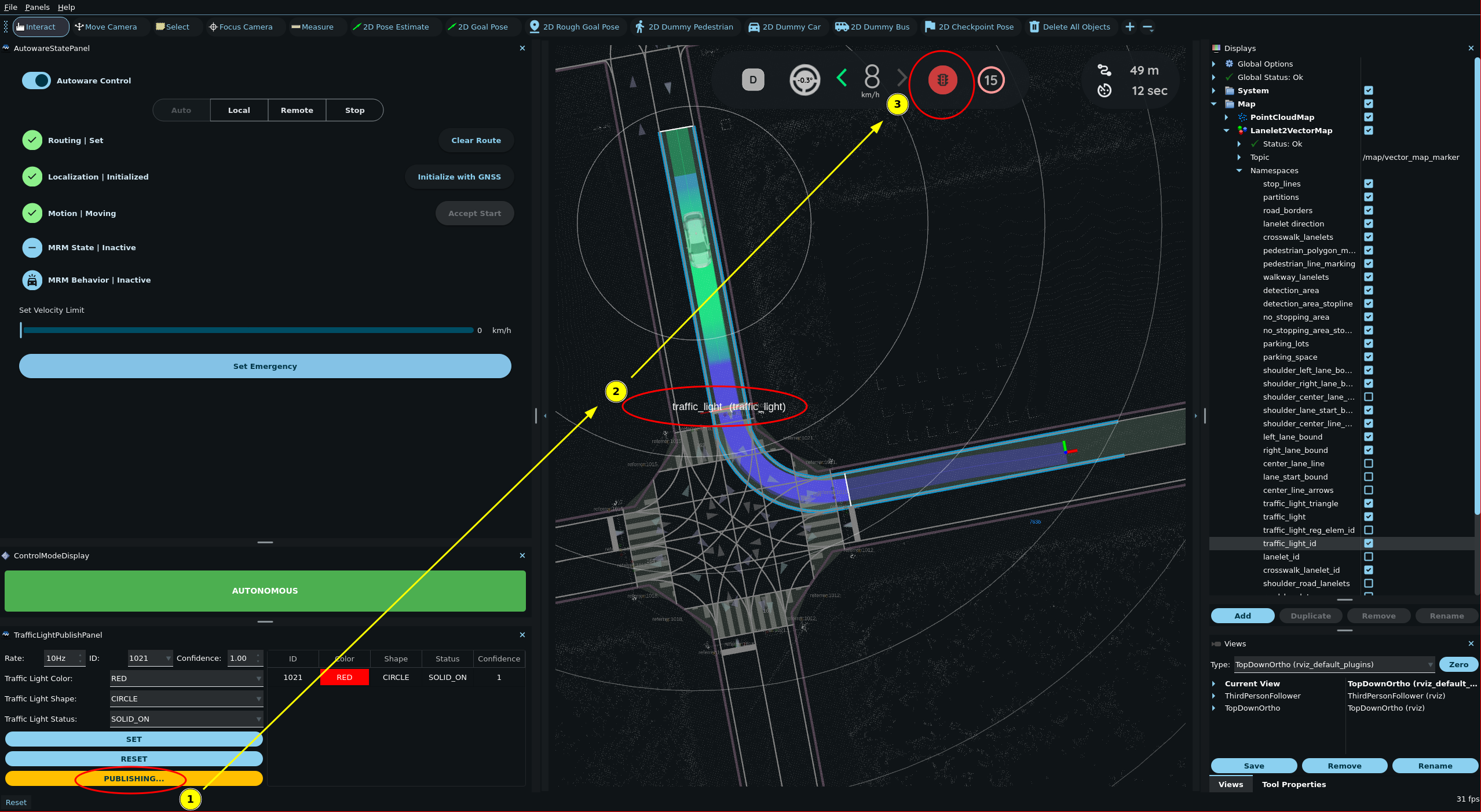
PUBLISHbutton to send the traffic light status to the simulator. Any planned path that goes past the selected traffic light will then change accordingly.
Update/Reset traffic light#
You can update the color of the traffic light by selecting the next color (in the image it is GREEN) and clicking SET button. In the image the traffic light in front of the ego vehicle changed from RED to GREEN and the vehicle restarted.
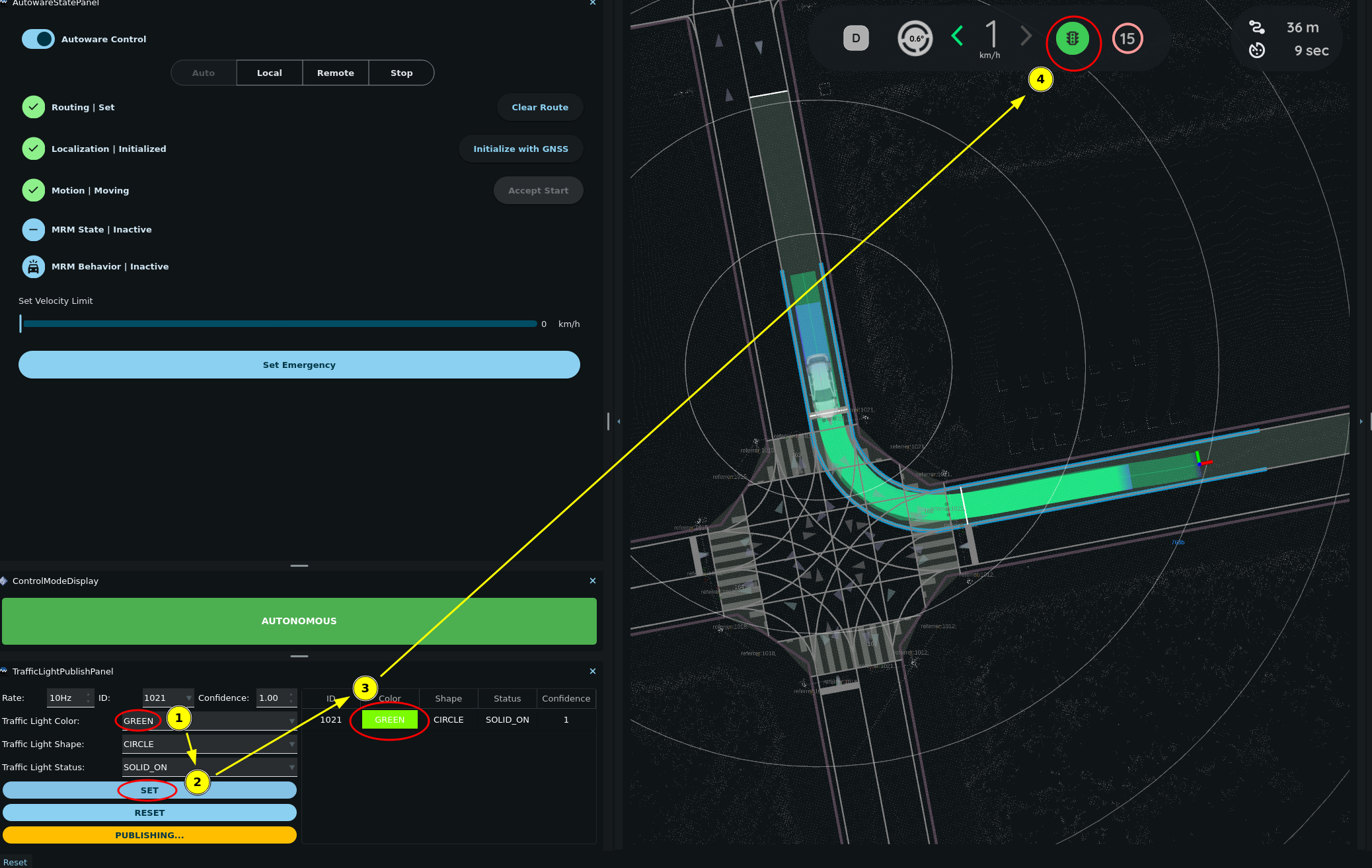
To remove a traffic light from TrafficLightPublishPanel, click the RESET button.
Other traffic light modes
The dummy_traffic_light_mode argument of planning_simulator.launch.xml sets the mode of the dummy traffic light publisher:
empty(default): Publishes an empty signal list.standalone: Cycles all traffic lights of the map through green, yellow, and red.fixed: Sets all traffic lights of the map to one color. Thefixed_colorparameter of the node sets this color (red by default).
In every mode, the dummy traffic light publisher publishes on /perception/traffic_light_recognition/traffic_signals at 10 Hz. TrafficLightPublishPanel publishes on the same topic. The behavior velocity planner uses only the last message that it got, so a message from the dummy publisher can replace the signal that the panel set. The dummy publisher relays the messages from /simulator/input/traffic_signals instead of its own signals, but the panel does not publish on that topic.