Scenario test simulation#
Note
Running the Scenario Simulator requires some additional steps on top of building and installing Autoware, so make sure that Scenario Simulator installation has been completed first before proceeding.
Running steps#
Move to the workspace directory where Autoware and the Scenario Simulator have been built.
Source the workspace setup script:
source install/setup.bashRun the simulation:
ros2 launch scenario_test_runner scenario_test_runner.launch.py \
  architecture_type:=awf/universe/20250130 \
  record:=false \
  scenario:='$(find-pkg-share scenario_test_runner)/scenario/sample.yaml' \
  sensor_model:=sample_sensor_kit \
  vehicle_model:=sample_vehicle \
  use_custom_centerline:=true \
  rviz_config:=$(ros2 pkg prefix autoware_launch)/share/autoware_launch/rviz/scenario_simulator.rviz
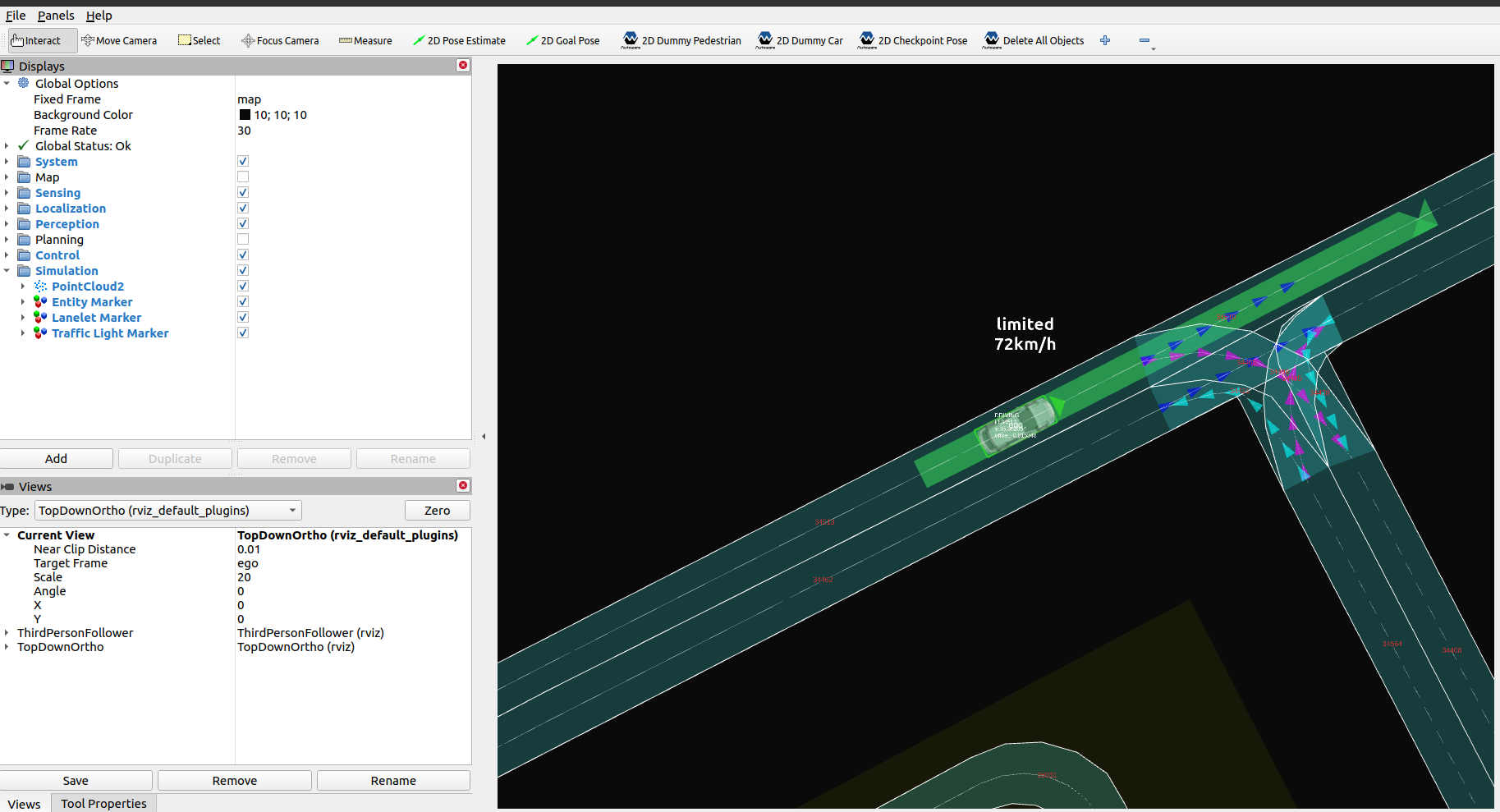
Run a scenario with Docker
The Autoware repository has a Docker Compose example in docker/examples/demos/scenario-simulator. It runs the planning simulator with scenario_simulation:=true in one container and scenario_test_runner in another. It uses the scenario from the autoware_sample_scenarios repository and the sample map.