Tuning planning#
In this section, we will update, evaluate, and fine-tune the Autoware planning modules, with a specific emphasis on the lane driving modules within the YTU campus environment. The Autoware planning side consists of the following main lane driving sections: Behavior planning and motion planning. Our focus will be on fine-tuning these modules to enhance our planning performance in the campus environment.
Planning parameter tuning#
Behavior planning tuning#
Behavior velocity planner#
The Behavior velocity planner is a planner that adjusts velocity based on traffic rules. It loads modules as plugins. Please refer to the package documentation for more information about these modules.
To enable or disable Behavior velocity planner modules, we will enable or disable the necessary plugin modules in the default_preset.yaml file according to our preferences.
- For example, in the YTU campus environment, there are many speed bumps, pedestrians, and specific areas where autonomous driving is not permitted. We will enable the speed bump module to handle these conditions. The out of lane module also helps in these areas. In Autoware 2.0, it is a module of the motion velocity planner, and
launch_out_of_lane_moduleis alreadytrueby default.
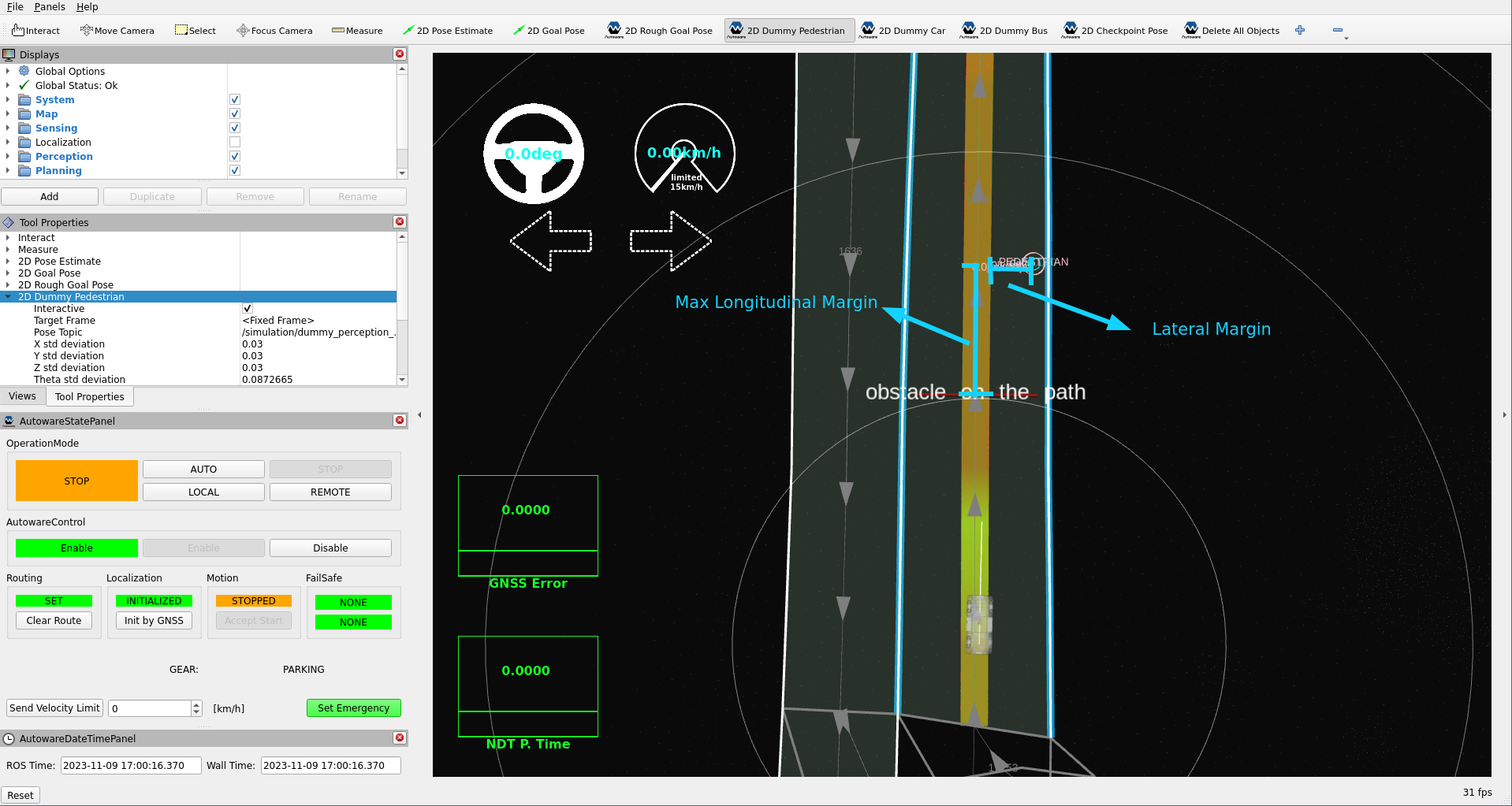
To enable a module, we need to set the launch_ The Avoidance module plays a pivotal role in Autoware's behavior planning scene modules, offering rule-based avoidance capabilities. It provides the flexibility to define behavior based on intuitive parameters like lateral jerk and avoidance distance margin, enabling adaptable avoidance strategies tailored to your specific environment. This module operates within lane constraints, requiring access to lane structure information to ensure compliance with traffic rules. For example, it triggers indicator signals when the vehicle crosses a lane. The key distinction between motion and behavior modules in the planning stack is their consideration of traffic rules. Please refer to the We will modify and update certain avoidance rules and margin parameters to handle with the specific conditions of our YTU campus environment and the capabilities of our vehicle. Now, we expect the avoidance module not to utilize the opposite lane in our area. If the vehicle cannot fit past an obstacle in the same lanelet, it will come to a stop, as depicted in the image below: Since we disabled the use of opposite lanelets for the Avoidance module, there may be instances where we cannot avoid objects due to the shifted path not fitting within the available lanelet. As a small vehicle, we will reduce the The path optimizer generates a kinematically feasible and collision-free trajectory based on the input path and drivable area. It updates the trajectory's position and orientation but retains the velocity from the input path. Please refer to the Path Optimizer and Model Predictive Trajectory (MPT) documentation page for more information about this package. In Autoware 2.0, the motion velocity planner has three modules for obstacles: the obstacle stop module, the obstacle slow down module, and the obstacle cruise module. The obstacle stop module inserts stop points into the trajectory for the detected objects. It can also stop for the input point cloud, which adds safety, because the point cloud also includes obstacles that the perception does not detect. By default, the point cloud check of the obstacle stop module is off. The obstacle cruise module uses only the dynamic objects. The For more information on the parameters and inner working algorithms of the obstacle stop module, please refer to the documentation page. In our campus environment, we want the vehicle to stop also for the point cloud. So we turn on the point cloud check of the obstacle stop module: In our YTU environment and test vehicle conditions, due to the short vehicle width, the trajectory is also short. To improve the detection range of the obstacle stop module, we will increase the lateral margin for point cloud obstacles. This margin must not be larger than the The following image illustrates the motion behavior of the trajectory, considering the lateral margin and the stop margin parameters. It was taken with the Autoware has a lot of changeable parameters and methods. The mentioned sample parameter tuning examples are just a small part of what is possible. For more information on the modules and their parameters, please refer to the Autoware Universe documentation.true for this module in the default_preset.yaml parameter file: default_preset.yaml parameter file: - arg:
name: launch_speed_bump_module
- default: "false"
+ default: "true"
Speed bump module tuning#
15 km/h. Therefore, we will decrease the default speed bump velocity limits in the speed_bump.param.yaml to allow for minimum and maximum speeds when going over speed bumps.speed_bump.param.yaml parameter file:- min_speed: 1.39 # [m/s] = [5 kph]
+ min_speed: 1.11 # [m/s] = [4 kph]
- max_speed: 2.78 # [m/s] = [10 kph]
+ max_speed: 2.22 # [m/s] = [8 kph]
speed_bump.param.yaml parameter file:- slow_start_margin: 1.0
+ slow_start_margin: 2.0
slow_start_margin parameter, you will observe that the position of the virtual wall changes is relative to the speed bump.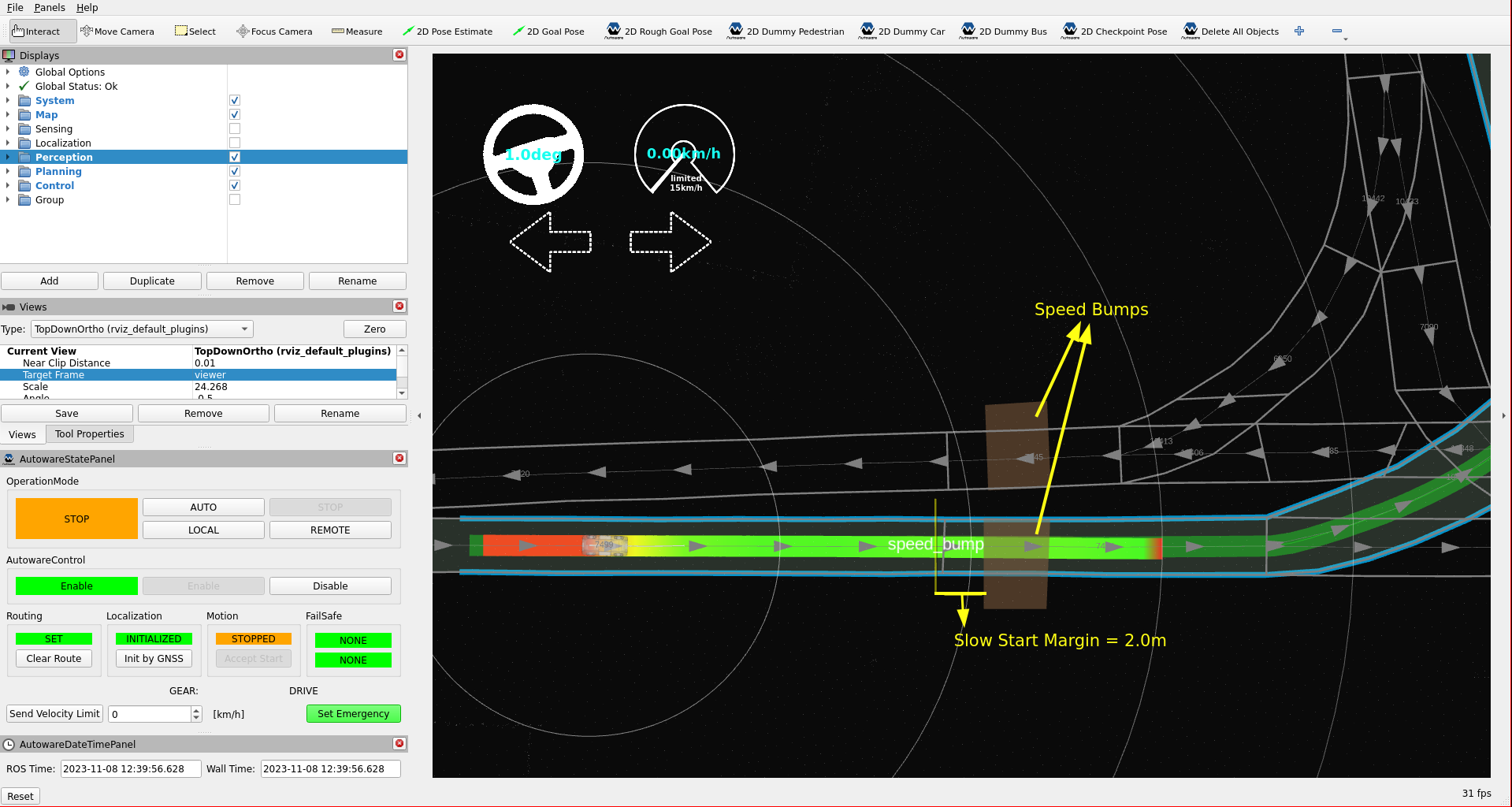
Avoidance#
Avoidance Module page for more information about the module's capabilities.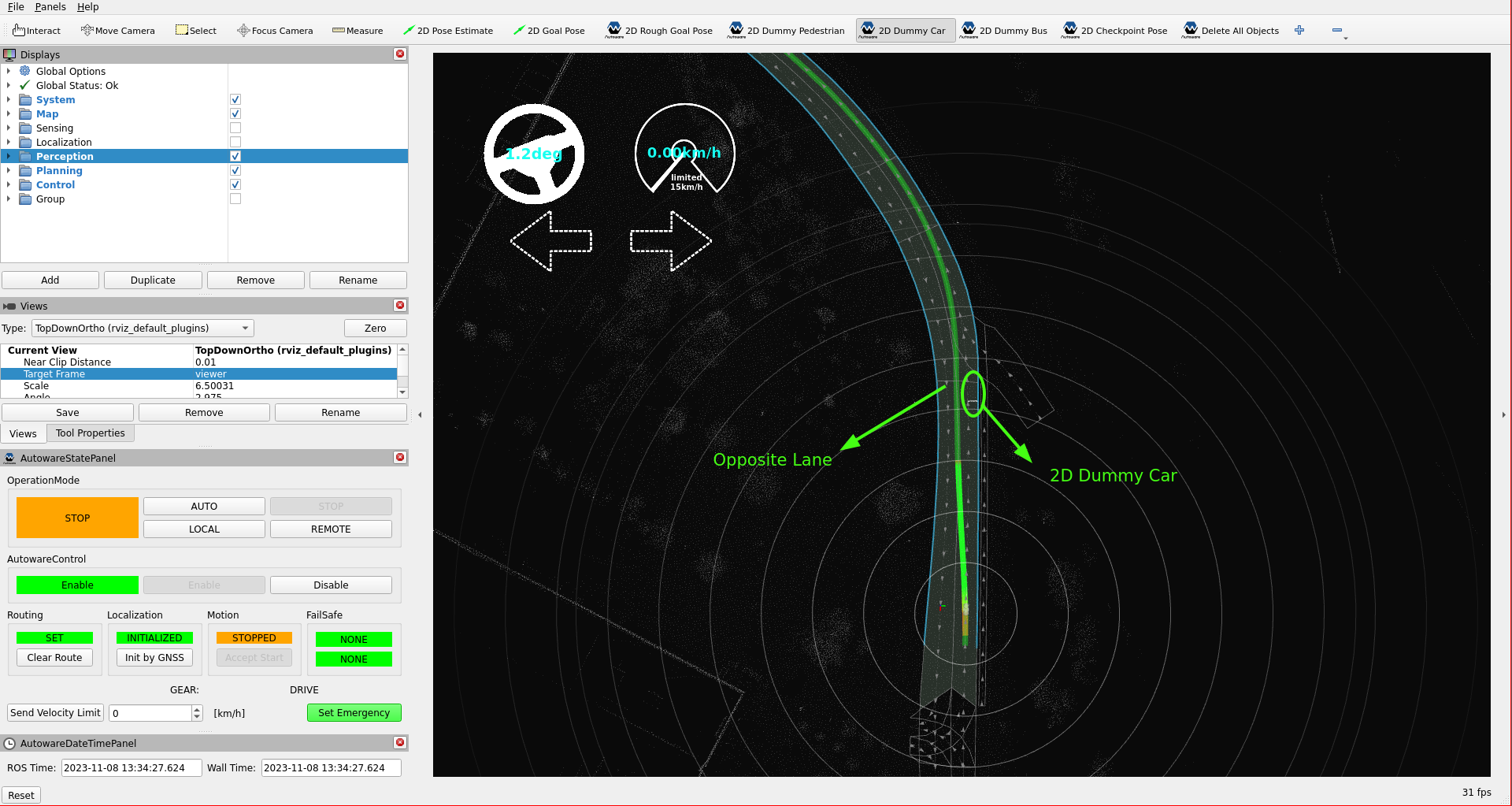
use_lane_type to same_direction_lane in the static_obstacle_avoidance.param.yaml file:static_obstacle_avoidance.param.yaml parameter file: avoidance:
- use_lane_type: "opposite_direction_lane"
+ use_lane_type: "same_direction_lane"
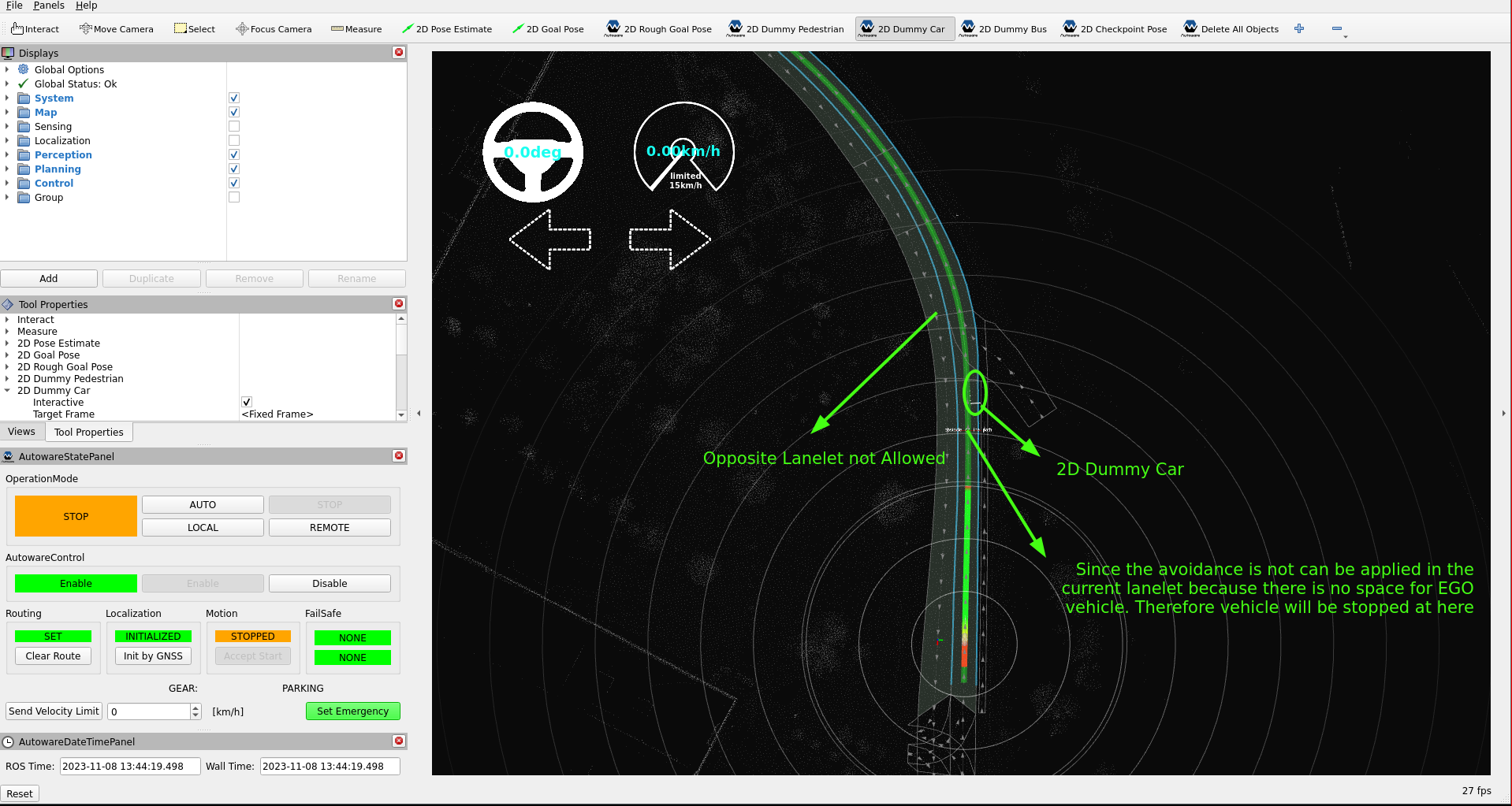
soft_margin parameter to decrease the distance between objects and the ego vehicle. You can adjust these changes to any target object according to your preference. For more information on these parameters, please refer to the avoidance module documentation.static_obstacle_avoidance.param.yaml parameter file: avoidance:
target_object:
car:
lateral_margin:
- soft_margin: 0.5 # [m]
+ soft_margin: 0.3 # [m]
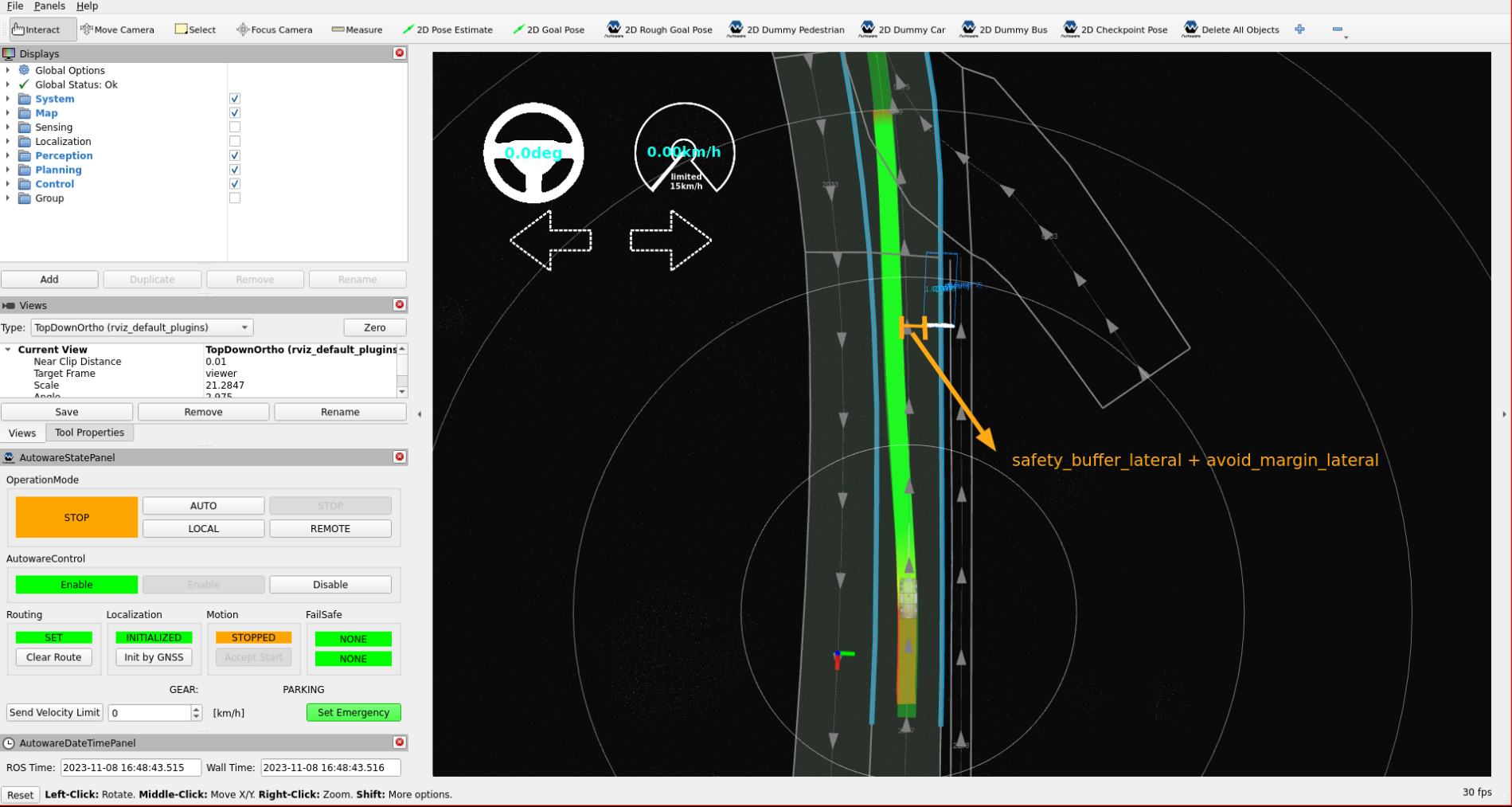
static_obstacle_avoidance.param.yaml file. You can disable any target object according to your preference.static_obstacle_avoidance.param.yaml parameter file: avoidance:
target_filtering:
target_type:
- pedestrian: true
+ pedestrian: false
Motion Planning Tuning#
Path optimizer#
path_optimizer.param.yaml parameter file: mpt:
option:
- steer_limit_constraint: false
+ steer_limit_constraint: true
use_footprint_polygon_for_outside_drivable_area_check parameter to consider the footprint as a polygon and check if it exceeds the Lanelet2 boundaries.path_optimizer.param.yaml parameter file: option:
- use_footprint_polygon_for_outside_drivable_area_check: false # If false, only the footprint's corner points are considered.
+ use_footprint_polygon_for_outside_drivable_area_check: true # If false, only the footprint's corner points are considered.
Obstacle stop module#
default_preset.yaml file enables or disables each module:default_preset.yaml parameter file: - arg:
name: launch_obstacle_stop_module
default: "true"
- arg:
name: launch_obstacle_slow_down_module
default: "true"
- arg:
name: launch_obstacle_cruise_module
default: "true"
obstacle_stop.param.yaml parameter file: obstacle_filtering:
check_inside:
default: true
- pointcloud: false
+ pointcloud: true
lateral_margin of pointcloud_preprocessing in motion_velocity_planner.param.yaml (2.0 m by default), because the planner removes the points outside that margin first.obstacle_stop.param.yaml parameter file: obstacle_filtering:
...
lateral_margin: # lateral margin between the obstacles and ego's footprint
nominal:
default: 0.3
unknown: 0.3
- pointcloud: 0.3
+ pointcloud: 0.6
obstacle_stop_planner package of an earlier Autoware version.